Why My '10km' Drone Lost Signal Behind a Hedge — and What That Means Before You Buy
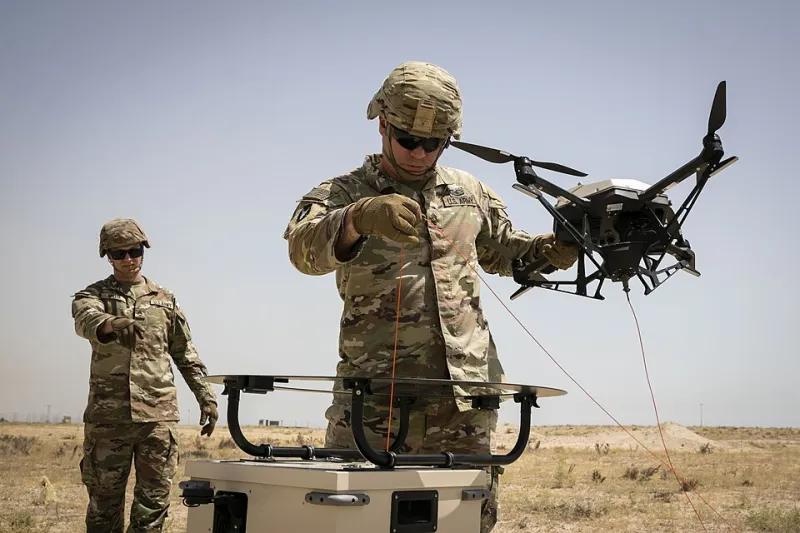
Photo: U.S. Army photo by Staff Sgt. Mahsima Alkamooneh, Public domain, via Wikimedia Commons
On a flat farm track outside Bury St Edmunds, with permission from the landowner and a spotter beside me, I flew a mid-range camera drone that the box said could manage 'up to 10km'. At around 480 metres, behind a hedge and a line of poplars, the live feed stuttered. At 620 metres it dropped to a lower resolution, then froze altogether. The drone did exactly what physics and UK radio rules allow. The number on the box did not lie, exactly. It just answered a different question.
I kept the aircraft within visual line of sight throughout, as the CAA requires, and the spotter helped me keep eyes on it. The point was not to chase a distance record. It was to see how the headline figure survives contact with an ordinary British field — the sort of place most of us actually fly.
The spec sheet is written for a lab — and often for America
Most drone range claims are measured under near-perfect conditions: no obstacles, no interference, a clear radio horizon and the controller held at exactly the right angle. They are also frequently quoted using FCC power limits, which apply in the United States. The UK uses CE limits, which are lower. That alone can turn a glossy '10km' into something closer to 6km or 7km on paper — and that is still before a single tree gets involved.
This is not a conspiracy. It is marketing. 'Up to' is doing an enormous amount of work in that sentence. If a retailer only advertises the FCC figure, ask for the CE number. If the CE number is buried in a footnote, read the footnote. It will be the more honest one for a UK buyer.
There is also a legal reality that makes the whole argument slightly silly. In the UK you must be able to see the drone unaided, without binoculars or a phone screen, for the whole flight. A small camera drone is a speck at a few hundred metres, let alone several kilometres. Even if the radio link could reach 10km, you could not legally use it that way without breaking the visual line of sight rule. Range is a spec you are not really allowed to use in the way the box implies.
What actually eats your signal in a British field
A dry, open field is the easy mode. Add a hedge, a line of trees, a wet leaf canopy or a gentle slope and the radio link has to work much harder. Leaves are not solid walls, but they are full of water, and water absorbs radio energy. A dense hawthorn hedge in autumn can take a noticeable bite out of your signal. A line of poplars can take a bigger one.
Your own body is another obstacle. If you turn away from the drone, or hold the controller against your chest, you can block the antenna. That sounds obvious until you are walking back to the car and wondering why the feed has gone choppy.
Suburban Wi-Fi is the other great British signal thief. In a park surrounded by houses, the 2.4GHz band is crowded with routers, doorbells, baby monitors and microwave ovens. The drone has to share that space. Switching to 5.8GHz can help with interference, but it is less good at punching through obstacles. There is no free lunch: lower frequencies travel further and penetrate better, higher frequencies carry more data but lose strength faster.
Three places, three different answers
In open fenland, with a clear line of sight and almost no housing nearby, the link was solid well beyond the point where the drone became hard to see. I did not need to fly far to learn the lesson; the aircraft was already a dot. In a suburban park, with houses on three sides, the feed became unreliable at a few hundred metres, especially on 2.4GHz. Behind a tree line on the edge of a village, 5.8GHz gave up earlier than 2.4GHz, but 2.4GHz dropped to a lower-quality feed sooner.
That is the pattern. The headline range is a best-case number for an empty sky. Your real range is a negotiation between frequency, antenna angle, obstacles, interference and the law. The drone with the biggest number on the box is not automatically the one with the most reliable link in the places you actually fly.
Antenna orientation: the free upgrade most people ignore
Antenna orientation matters more than most buyers realise. If your controller has flat paddle antennas, the flat face should point towards the drone. Do not stab the tip at the sky like a lightsaber. Keep the controller upright and stay facing the aircraft. If you have a spotter, use them — not just for safety, but because they can watch the drone while you watch the screen.
Let the drone choose its frequency automatically unless you have a good reason to lock it. On a long, open flight, 2.4GHz is often the steadier choice. For close-up filming where you want the cleanest feed, 5.8GHz can be better. And set a sensible return-to-home altitude that clears the trees along your flight path. A drone that loses signal and climbs into a oak tree is not a range problem; it is a settings problem.
Do not be tempted by 'FCC mode' hacks or modified antennas. They are not a shortcut to better UK flying. They are a shortcut to legal trouble and, quite often, a wrecked drone.
How to read range specs before you buy
Ignore the biggest number in the advert. Look for the CE range, the transmission system, the antenna design and whether the controller has diversity antennas. Read real-world reviews from UK flyers, not just launch-day videos shot in a desert. Check the return-to-home behaviour and the battery life at the range you will realistically use.
Most importantly, ask yourself what you are buying. If you want to film a field, a coastline or a village from a few hundred metres away, almost any modern drone will do the job. You do not need a 10km link. You need a reliable link at 300 metres, a camera you like and a controller that fits your hands. The 10km myth is expensive. The truth is usually cheaper and far more useful.