Flat 4K Is a Choice: Three Camera Fixes for British Drone Footage
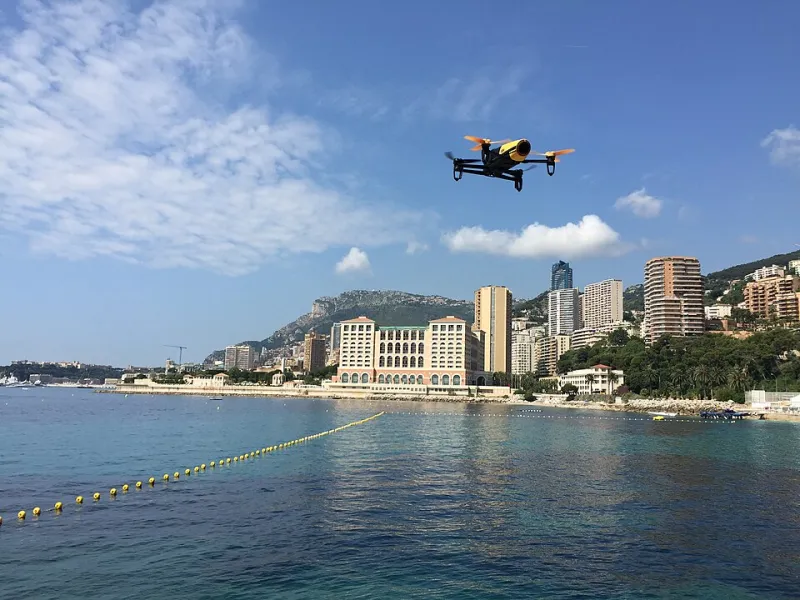
Photo: Halftermeyer, CC BY-SA 4.0, via Wikimedia Commons
British landscapes are brilliant at hiding contrast. A grey sky, wet stubble and a distant treeline can turn even a sharp 4K drone clip into a milky wash. It is tempting to blame the sensor and start shopping for a bigger aircraft. Most of the time, the footage is flat because the light is flat, the profile is flat and the white balance is drifting. I spent a few weekends testing three sub-£1,000 drones — DJI Mini 4 Pro, DJI Mini 3 Pro and Potensic Atom 2 — in the sort of light the UK actually provides. These are the three settings that made the biggest difference.
Why British light looks flat on camera
Overcast light is soft and even. It removes shadows, and shadows are contrast. Wet fields reflect the sky, haze lifts blacks and grey cloud clips to white. A drone's standard profile often protects highlights, which can leave midtones looking grey. Add auto white balance chasing cloud and you get footage that looks technically fine but visually limp. The fix is rarely a new aircraft. It is usually a more deliberate camera setup.
1. ND filters: use them for shutter, not for colour
ND filters do not add contrast. They cut light, which lets you keep a slower shutter for natural motion. In overcast UK light, ND8 or ND16 is often enough at 25fps; bright coastal glare can call for ND32. Test the same scene with ND off and ND on, shutter at 1/50. The ND version should look smoother in pans and retain more highlight texture, but if it looks muddy, you have over-filtered. Do not stack filters. Do not use ND to rescue a dull image; use exposure compensation and grading for that.
On the Mini 4 Pro, an ND16 was the sweet spot in flat afternoon light over wet farmland. On the Mini 3 Pro, ND8 was often enough under heavy cloud, while the Atom 2 needed careful exposure because its smaller sensor had less headroom in the highlights. The lesson was the same across all three: ND is a motion tool, not a contrast slider.
2. Picture profiles: stop shooting flat if you do not grade
Flat profiles like D-Log M and D-Cinelike are useful when you grade. In flat British light, they can make the ungraded file look worse. On the Mini 4 Pro I used D-Log M only when I knew I would grade; otherwise Standard with contrast +1 and saturation +1 gave a better starting point. On the Mini 3 Pro, D-Cinelike needed a lift in post; Standard was cleaner for quick clips. On the Atom 2, the standard profile was the sensible default. If you want richer footage without upgrading, get the profile right for your workflow, not the one that sounds most professional.
A simple rule: if you are sending clips straight to your phone, shoot Standard and nudge contrast. If you are grading, shoot the flattest profile you can handle and expose to protect the sky. Do not shoot flat because a YouTube tutorial told you to. Shoot flat because you have a plan for it.
3. White balance: lock it, then warm it slightly
Auto white balance is the quiet killer. As cloud moves, the camera shifts from cool to warm and back, and the whole clip feels unstable. Lock white balance at 5600K for neutral daylight, or 6000K under heavy cloud, then adjust in post. On wet green fields, a nudge towards 5800K can stop the scene looking blue. Use a grey card if you are serious; otherwise set it manually and leave it. Consistency beats a technically perfect single frame.
The field test: before and after
In a Norfolk field, the before clip was the Mini 4 Pro on auto white balance, Standard profile and no ND. The sky was white, the stubble grey-green and the treeline barely separated from the cloud. The after clip used white balance locked at 6000K, an ND16, Standard with contrast +1 and exposure at -0.3. The field gained separation, the sky held a little texture and the whole frame felt less like a photocopy.
On a Brecon Beacons track, the Mini 3 Pro before clip was D-Cinelike with no grade — flat, slightly blue and soft in the midtones. Switching to Standard, locking white balance at 5600K and adding a touch of warmth gave a more usable clip straight from the card. The Atom 2 on the Suffolk coast was the biggest surprise: no ND in bright glare, auto white balance and default colour looked washed out. With ND32, white balance locked at 6000K and exposure pulled down, the wet shingle and grey sea finally looked like different things.
The settings I would actually use
- Shoot 25fps at 1/50 where possible, with ND8 or ND16 in overcast light and ND32 in bright glare.
- Lock white balance at 5600K to 6000K instead of leaving it on auto.
- Use Standard with contrast +1 for quick clips; use D-Log M or D-Cinelike only if you will grade.
- Pull exposure down by -0.3 to -0.7 to protect grey skies, then lift shadows in post if needed.
- Check the histogram before every take. Flat light is easier to fix when you have not clipped the highlights.
None of these settings will turn a dreich Tuesday into golden hour. But they will stop your drone making British light look worse than it is. And that is usually the upgrade most of us actually need.