Stop Topping Up: The Battery Routine That Protects Your Drone's Flight Time
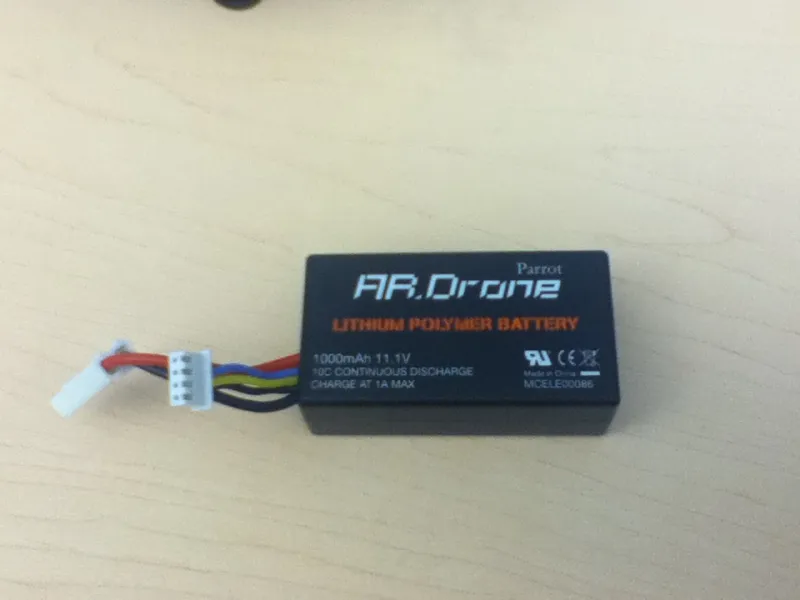
Photo: Chaagii 0817, CC BY-SA 3.0, via Wikimedia Commons
There is a quiet ritual that many UK drone owners follow after a Saturday session. The kit comes out of the bag, the batteries go on charge, and everything sits at 100% until the next decent weather window. It feels organised. It feels ready. Unfortunately, it is also one of the least kind things you can do to a lithium-polymer pack.
Batteries do not like sitting at full voltage for days or weeks. They do not complain loudly about it either. The damage is slow, cumulative and easy to miss until you notice that a pack which used to give you 28 minutes is now struggling to reach 20. In a country where flying days are already at the mercy of wind and drizzle, losing flight time to a storage habit is a needless tax.
Why a full pack is not a neutral state
A lithium-polymer battery is happiest somewhere in the middle of its charge range. At 100%, the cells are under more electrical stress, and that stress increases with heat. Leave a fully charged pack in a warm room, a sunny conservatory or a car boot on a mild afternoon and you are effectively accelerating the ageing process.
Smart batteries have made this less catastrophic than it used to be. Many now self-discharge after a period of inactivity, and some apps will nag you about storage. But self-discharge is a safety net, not a licence to leave every pack topped up. It can take days, and the pack may spend plenty of that time sitting at a high state of charge.
The practical target is simple: charge fully when you are about to fly, not because you might fly. For longer gaps, aim for a storage charge rather than 100%. An 80% charge is a sensible short-term holding point for a flight you expect within a day or two. It is not a long-term storage solution.
The 80% routine that fits real life
You do not need a laboratory. You need a habit that survives a British forecast.
After a flight, let the pack cool before doing anything with it. Do not slap it straight onto the charger while it is warm. If you are flying again within 48 hours, charge to around 80% and leave it there. If the next flight is further away, use your charger or app's storage setting to bring the pack down to roughly 50-60%. If your system has no storage mode, discharge it by flying gently or use a manufacturer-approved charger with a storage function.
On the night before a session, charge only the packs you genuinely expect to use. If the forecast is marginal, charge one and leave the rest in storage. At the field, top up from 80% to full only when you are confident the flight is going ahead. This is also easier on your charger and your patience.
Try not to run packs to the floor. Land with a little reserve, ideally before the drone starts insisting. A pack left at 0% for weeks is its own kind of problem, and a deeply discharged cell may not recover safely.
Firmware warnings, app logs and warranty claims
Modern drone batteries are talkative. They will warn you about low temperature, high temperature, cell imbalance and over-discharge. Take those messages seriously. A warning is not a suggestion to carry on and hope. If a pack is too cold, warm it gradually indoors. If it is too hot, let it cool. If the app reports a cell voltage problem, stop using that pack and seek advice.
Warranty claims are where good habits pay off. Manufacturers tend to cover genuine defects, not neglect. Swollen packs, water ingress, crash damage and obvious heat exposure can all complicate a claim. Keep your proof of purchase, note the cycle count and save screenshots of any warnings. If a pack swells, do not squeeze it, puncture it or keep flying. Isolate it and take it to a local household waste recycling centre that accepts lithium batteries.
A battery that has been stored sensibly and charged with the supplied kit is in a much stronger position if something goes wrong. A battery that has lived at 100% in a hot car boot is an easier story for a warranty assessor to question.
British storage conditions: damp garages and hot boots
UK storage is a tale of two problems. In winter, the garage or shed is cold and damp. In summer, the car boot becomes a greenhouse. Neither is ideal.
Cold packs lose voltage temporarily, which can make them look tired before they have warmed up. Let them reach room temperature before charging. Never charge a freezing pack. If you bring a cold battery into a warm house, leave it in its bag for a while so condensation forms on the bag rather than inside the pack.
Damp is the quiet enemy. A dry cupboard in a habitable room is usually better than a draughty garage or shed. If you must store packs in a cooler space, use a sealed case with a sachet of silica gel and check it regularly. Avoid leaving batteries in a car overnight in winter or in direct sun in summer.
A fire-resistant lithium battery bag is a sensible extra layer, especially for storage and charging. It will not make a damaged pack safe, but it buys time and contains a bad situation.
A simple weekly check
After each session, let packs cool, check the app for warnings and decide whether the next flight is close enough to justify an 80% charge. For longer gaps, drop to storage voltage. Store in a dry, moderate space, away from direct heat and damp. Before flying, charge to full only when the trip is real.
If you change one thing this season, stop leaving every pack at 100% for weeks on end. Your future flight times, and possibly your warranty claim, will thank you.